 Olympus Mons
Connect and change business systems without losing control
Olympus Mons sits across all the software a company already uses. It keeps that software in agreement, records every change, and automates and improves the company’s work.
Connects to every application in the stack, in-house software included
- Salesforce
- HubSpot
- Stripe
- ServiceNow
- Workday
- Jira
- Slack
- Workato
- Okta
- Microsoft 365
Data agreement
Keep every system in agreement
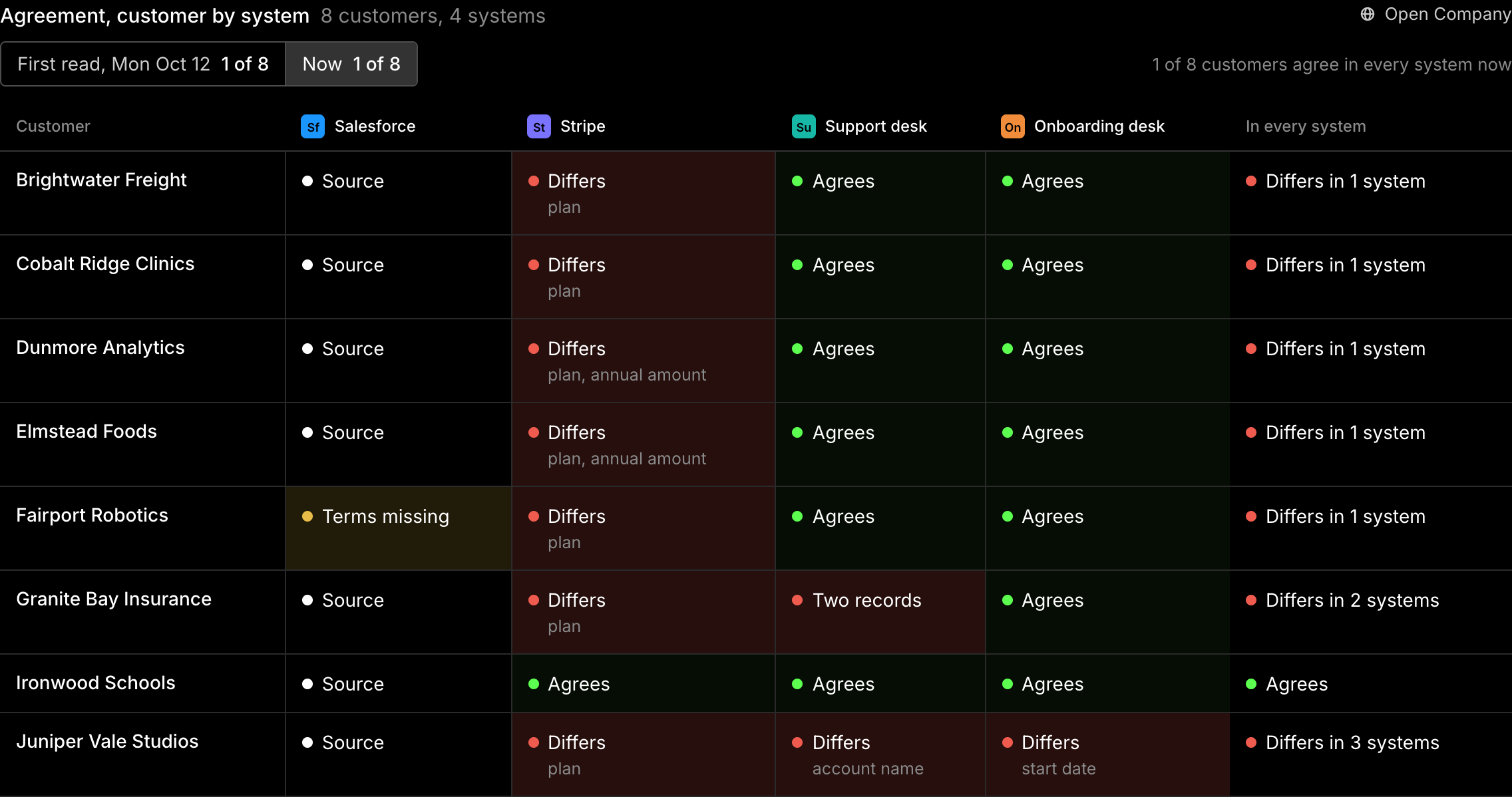
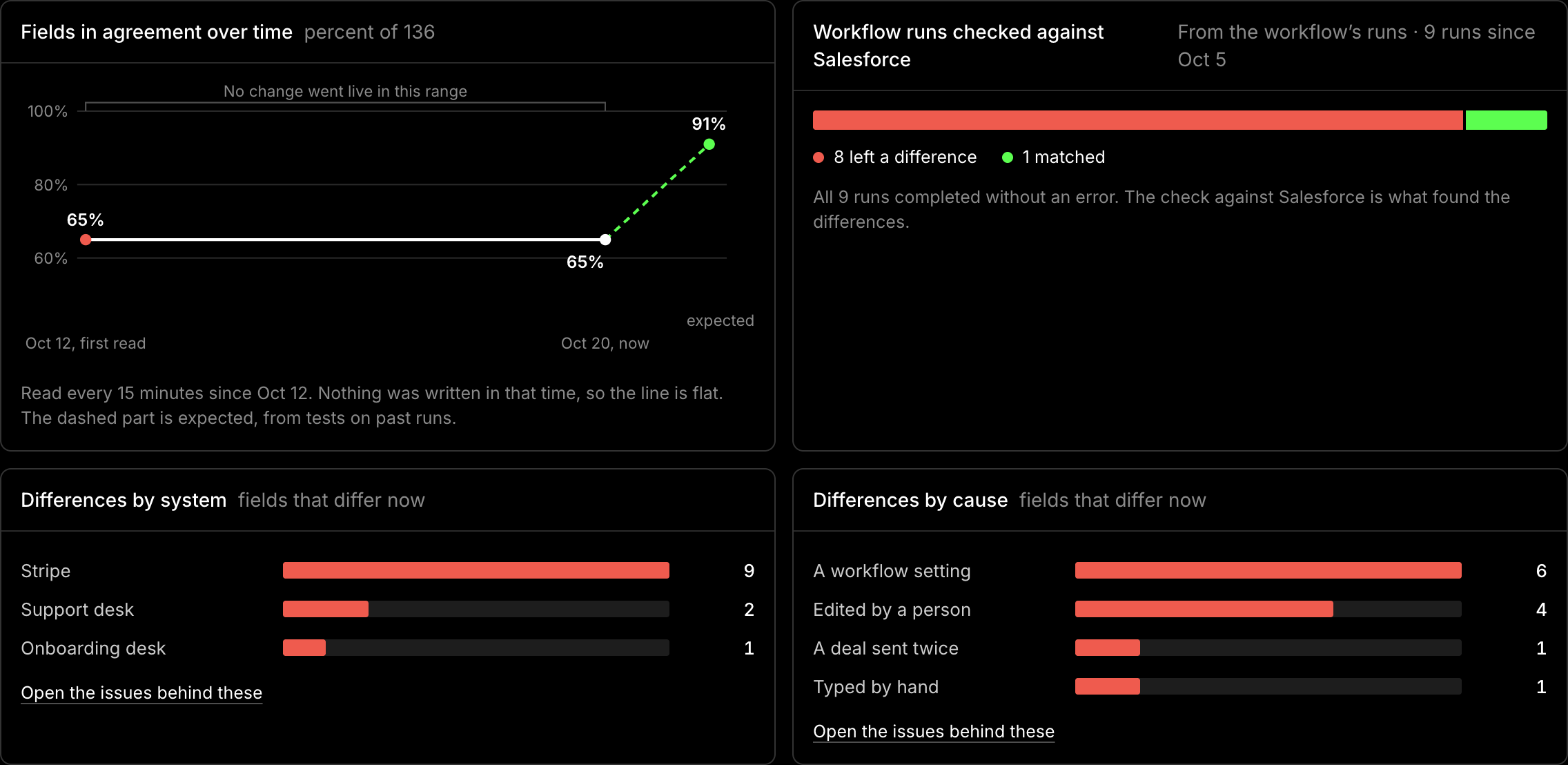
Integrations fail without an alert, and the business systems team hears about it from users. Olympus Mons finds where Salesforce, billing and support disagree on a customer and fixes it under rules the company sets.
Process map
See how the work runs before changing it
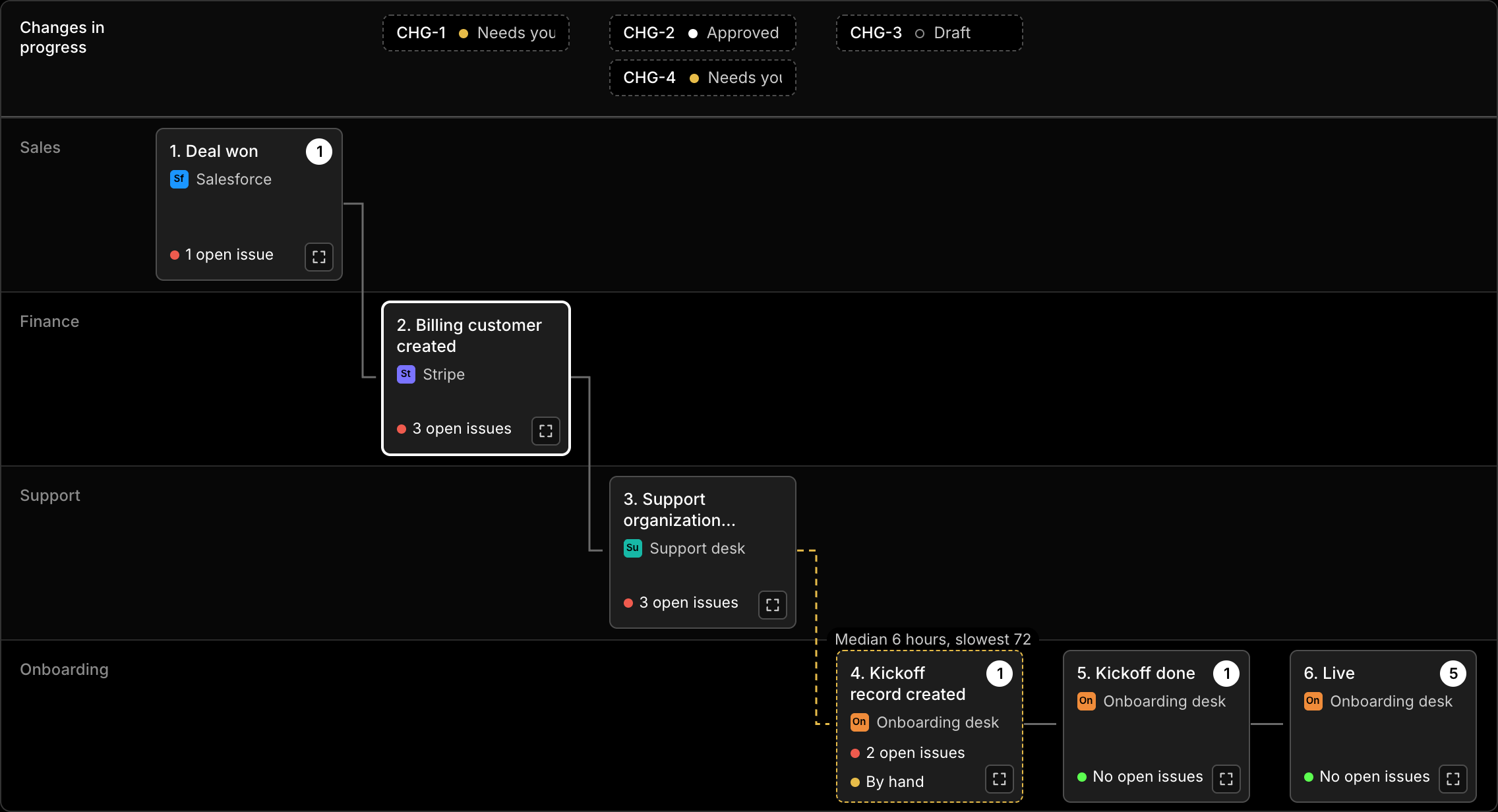
Work that crosses systems still depends on people copying records between them. Olympus Mons maps every workflow, its owner and the systems it touches, and marks the steps still done by hand.
How it works
From a request to a change in production
- 01
Connect
Pull every system into one place and keep records in sync between them.
- 02
Automate
A request comes in as a sentence. Olympus Mons turns it into a drafted change and a test on past cases, with a person approving it before it goes live.
- 03
Improve
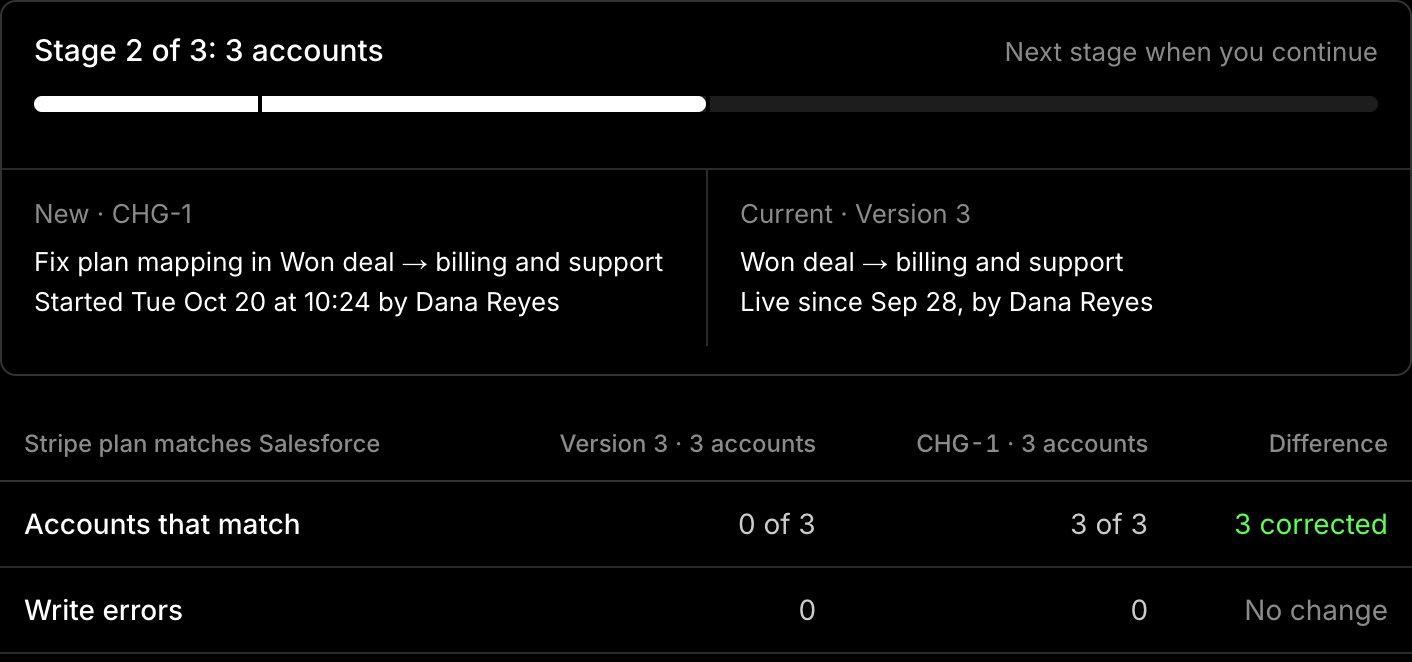
Change without guessing. Every fix runs against past cases first, and the approver sees the result.
- 04
Roll out
Release a change to a share of accounts, then widen it or roll it back based on the result.
Change record
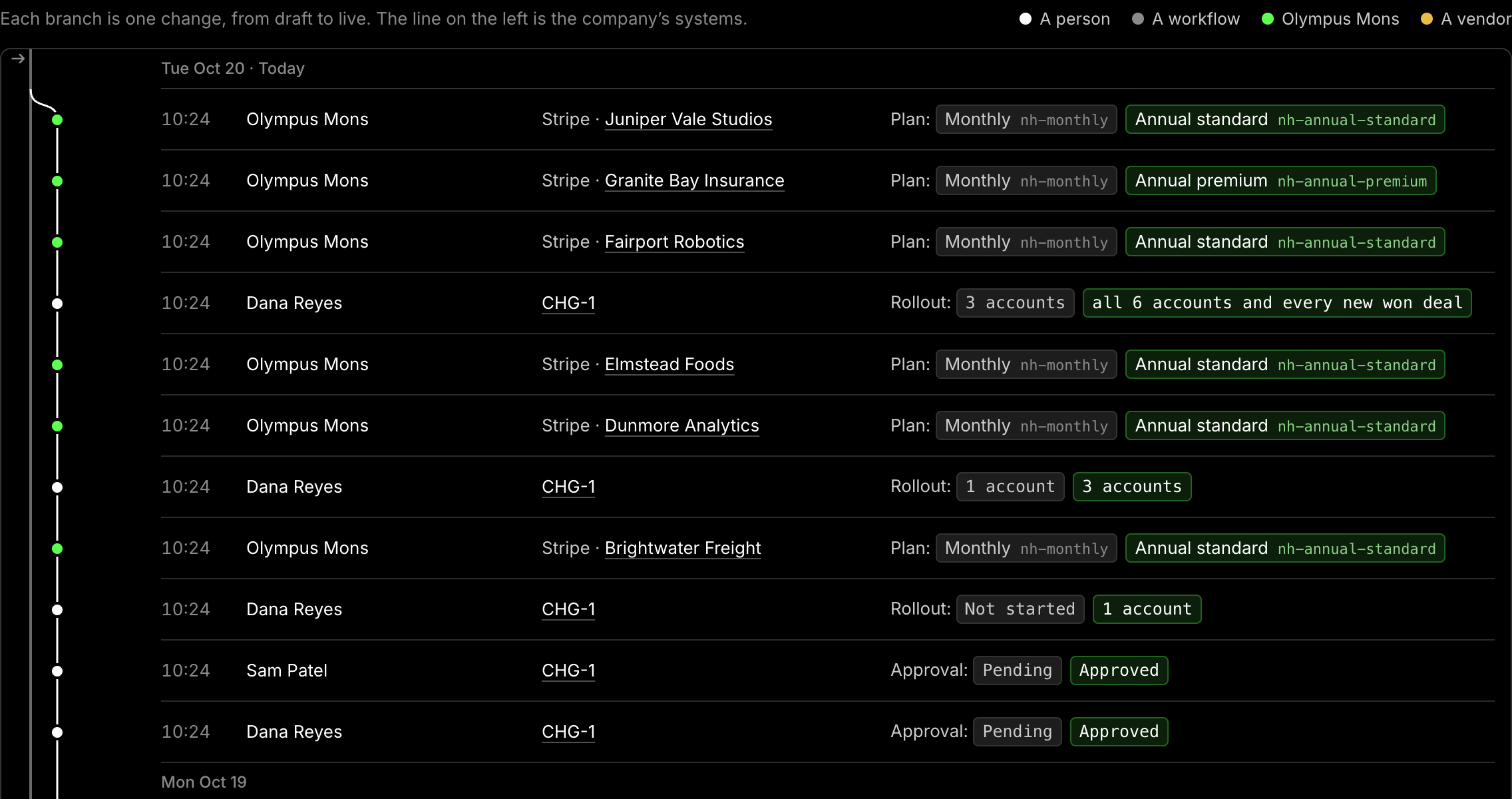
Keep one record of every change whoever or whatever made it
Auditors trace every sampled change to an approved, tested request. Each change here keeps what changed, who approved it and how to undo it, in one audit trail.
Results
Prove what each change was worth
Set a measure before a change goes live, then compare what was expected with what was measured.
Control
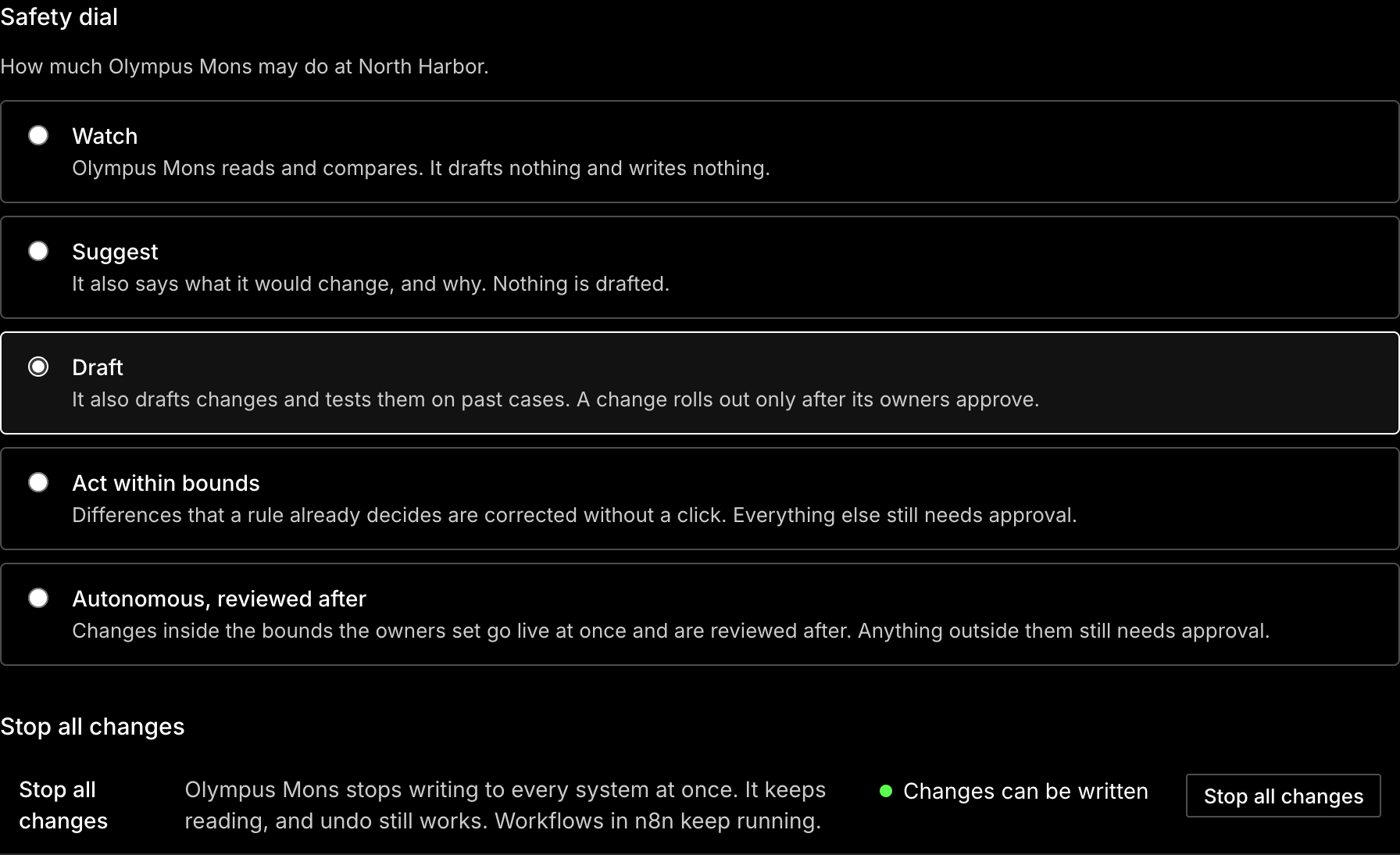
Put people in charge of every change
Permissions and approvals are set per system and per person, governing what Olympus Mons can read and write in each one. Whoever builds a change cannot approve it.
Assistant
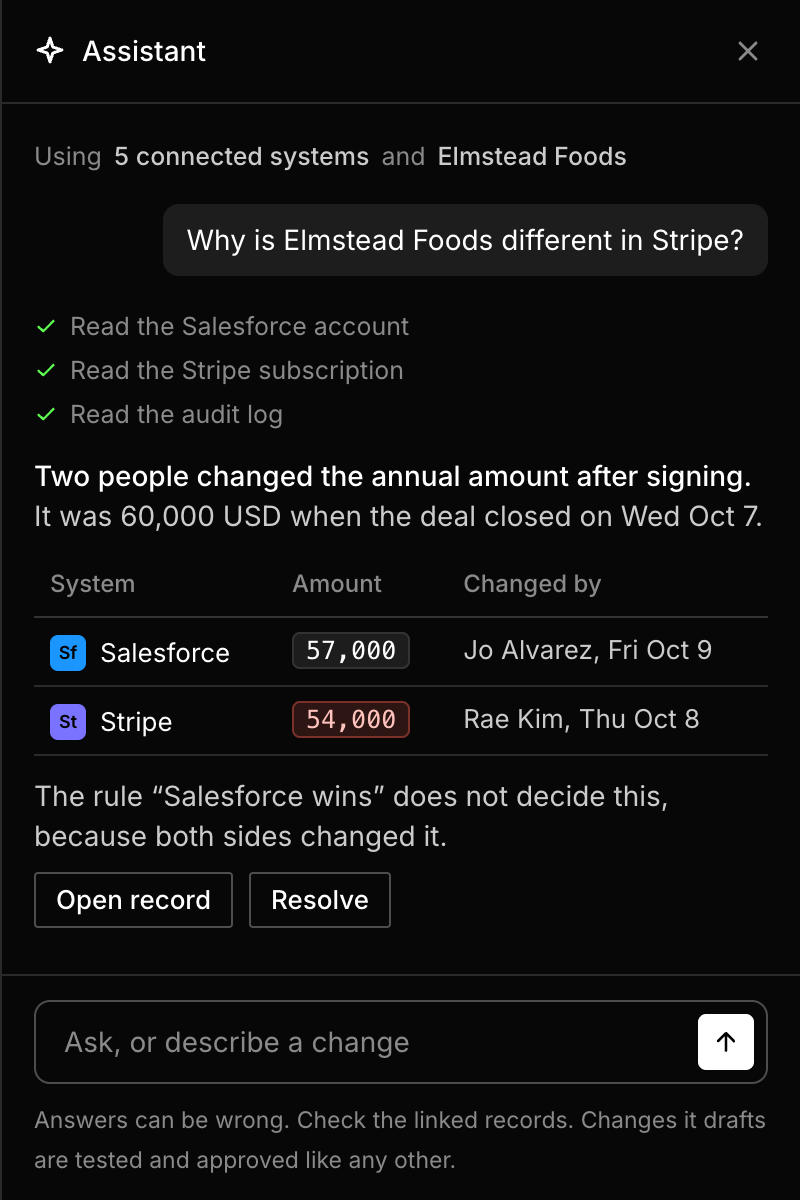
Ask about any system from any page
Ask why a record differs between systems or what changed last week, and approve changes in the same conversation.
Recommendations
Find what to do next
See which paid features are not in use and which vendor updates affect the company’s workflows.

Enterprise
Built for enterprise business systems teams
Start in the revenue back office, from closed deal to billing, support and renewals, then run it across the company.
- Find every account where Salesforce and billing disagree
- Turn a request into a tested change
- Get approval from the owner of each system a change writes to
- Show what a change was worth